
💡 Did You Know?
Did you know that Domain Authority (DA) isn’t a Google ranking factor? That’s right—search engines like Google don’t use DA when crawling, indexing, or ranking websites.
Instead, Domain Authority is a proprietary metric developed by Moz, designed to help marketers and SEOs estimate how likely a website is to rank in search engine results.
While not used by Google, it remains a popular way to benchmark website strength, track growth, and evaluate backlink profiles.
In this article, we’ll explore the best free SEO tools to check Domain Authority, so you can quickly assess your site or competitors without spending a dime.
Need Organic search Results?
1. MOZ Free Domain Authority Checker
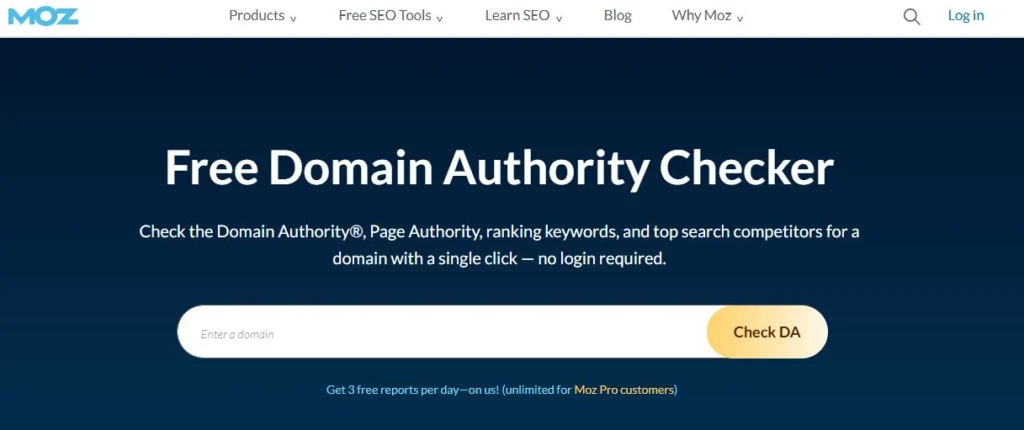
As the creator of Domain Authority (DA), Moz offers one of the most reliable FREE tools for checking your website’s DA. Moz’s algorithms calculate DA based on information from their links explorer web index.
Here is how to use it:
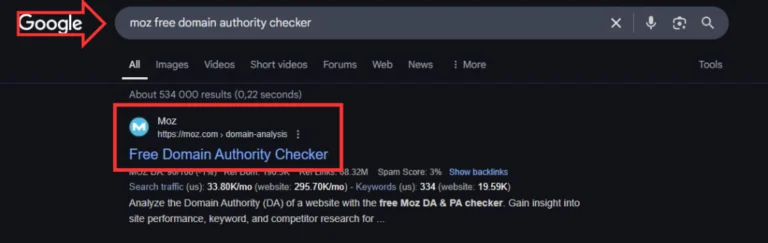
1️⃣ Search for Moz domain authority
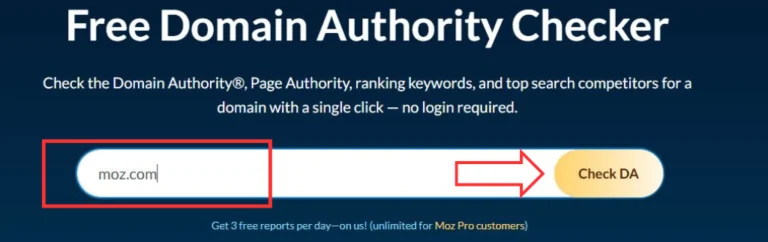
2️⃣ Simply enter the domain name of your website
3️⃣ Get the DA score
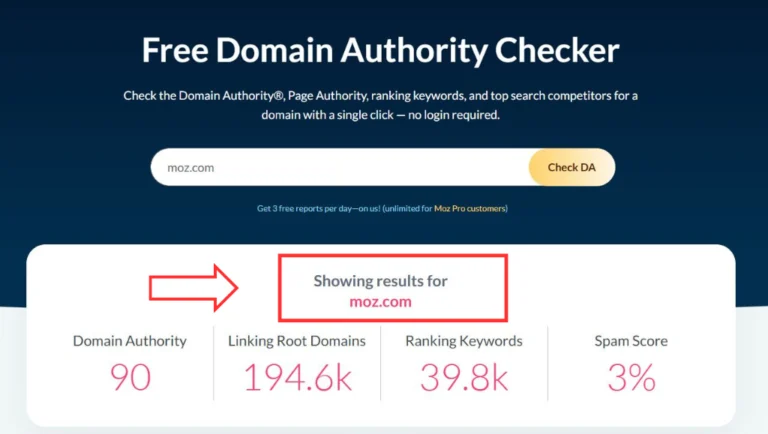
In addition to the DA scores, Moz provides FREE data on:
Top pages by linking
Top linking domains
Discovered and lost linked domains
Keywords by estimated clicks
Top-ranked keywords
Branded keywords
Keyword ranking and distribution
Top search competitors
Top questions
Even though a free Moz account gives you 10 queries per month, it’s still a very beneficial SEO tool to use.
Especially if you do your SEO on your own or you are a beginning SEO specialist.
Take advantage and start using the MOZ free domain authority checker now.
2. Ahrefs Website Authority Checker
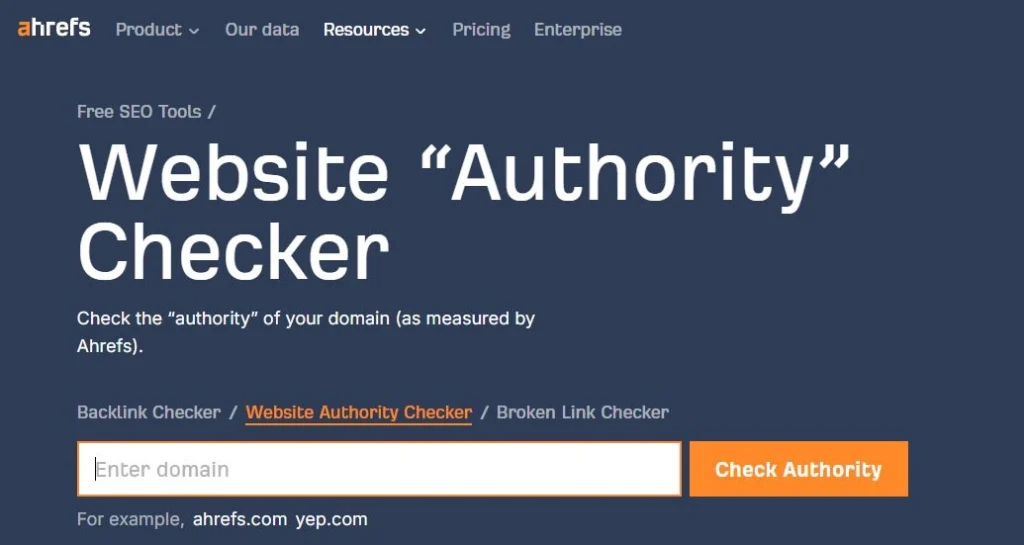
Ahrefs offers a reliable FREE tool to check your website’s authority, using its metric called Domain Rating (DR).
While it’s different from Moz’s DA, DR is widely used in SEO to measure the strength of a site’s backlink profile.
Here’s how to use it:
1️⃣ Search for Ahrefs Website Authority Checker
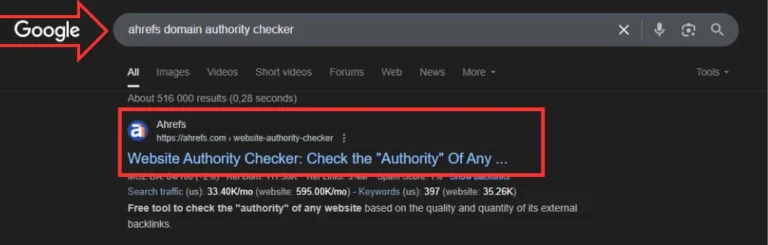
2️⃣ Enter your domain name
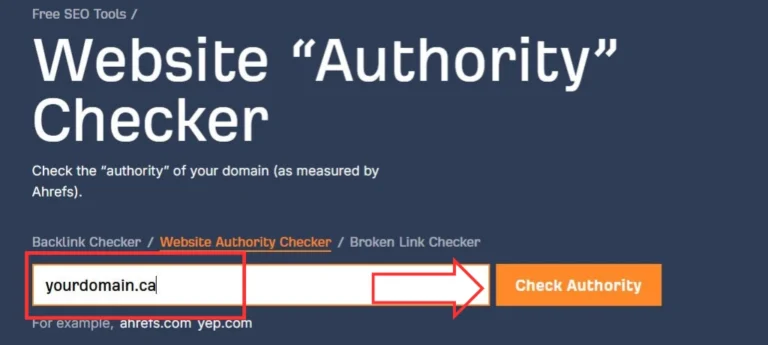
3️⃣ Get your DR score instantly
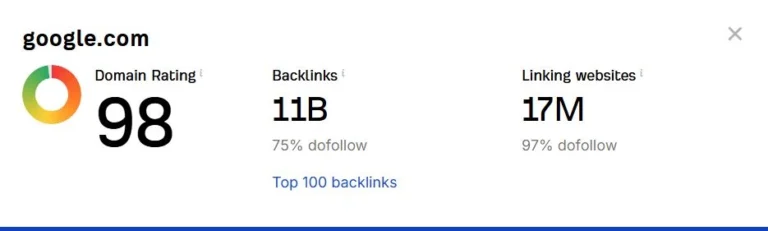
Ahrefs also gives you access to FREE insights such as:
Total number of backlinks
Referring domains
Organic traffic estimate
Top 100 backlinks
There’s no sign-up required to use the free checker, which makes it a great option for quick domain analysis. It’s ideal for freelancers, marketers, or business owners who want a fast way to assess site strength and authority.
Try the Ahrefs Website Authority Checker for free today.
3. Prepostseo Domain Authority Checker
Prepostseo offers a FREE and beginner-friendly Domain Authority checker powered by Moz’s API. It’s great if you want to check multiple domains at once or quickly compare your site against competitors.
Here’s how to use it:
Search for Prepostseo Domain Authority Checker
Paste in your domain (or several)
Click to check scores
In addition to Domain Authority, this tool shows:
Page Authority (PA)
Spam score
Total backlinks
Linking domains
There’s no need to register, and it supports bulk domain checks, making it especially useful if you’re managing several websites or doing outreach. A solid choice for SEO newbies and pros alike.
Give Prepostseo’s free checker a try and explore your site’s authority in seconds.
4. Website SEO Checker
Website SEO Checker provides another FREE and detailed Domain Authority checker that pulls metrics directly from Moz’s index. The interface is simple, so even first-timers can use it without confusion.
Here’s how to use it:
Go to Website SEO Checker’s DA tool
Enter your website’s URL
Click check and view results
Along with DA and PA scores, this tool includes:
Backlink overview
MozRank and MozTrust
Linking root domains
External equity links
No account is needed, and it delivers quick results. It’s a handy option for anyone who wants to check site strength without overcomplicating things.
Start using Website SEO Checker for a fast, no-login DA check.
5. Small SEO Tools Domain Authority Checker
Small SEO Tools offers a completely FREE Domain Authority checker that lets you check up to 10 domains at once. It’s perfect for quick comparisons or reviewing a list of prospects.
Here’s how to use it:
Search for Small SEO Tools Domain Authority Checker
Enter up to 10 domains
Hit “Check Authority”
The results show:
Domain Authority
Page Authority
Linking domains
Total links
No account is required, and it works instantly. If you’re running a blog, doing link building, or just starting out with SEO, this tool helps you get a feel for site authority with minimal effort.
Check your domain strength now using this fast and easy tool.
6. SEO Review Tools – Website Authority Checker
SEO Review Tools offers a free, professional-level Domain Authority checker that combines Moz data with other insights like Trust Flow and Citation Flow from Majestic.
Here’s how to use it:
Visit SEO Review Tools’ Website Authority Checker
Enter your domain
Press “Check Authority” to get your results
You’ll get a comprehensive breakdown including:
Domain Authority and Page Authority
Trust Flow and Citation Flow
Social shares
Page link metrics
You’ll need to sign up for a free account to use it, but the insights are worth it if you’re serious about SEO. It’s especially useful for digital marketers and agencies.
Get deeper authority insights with SEO Review Tools for free.